





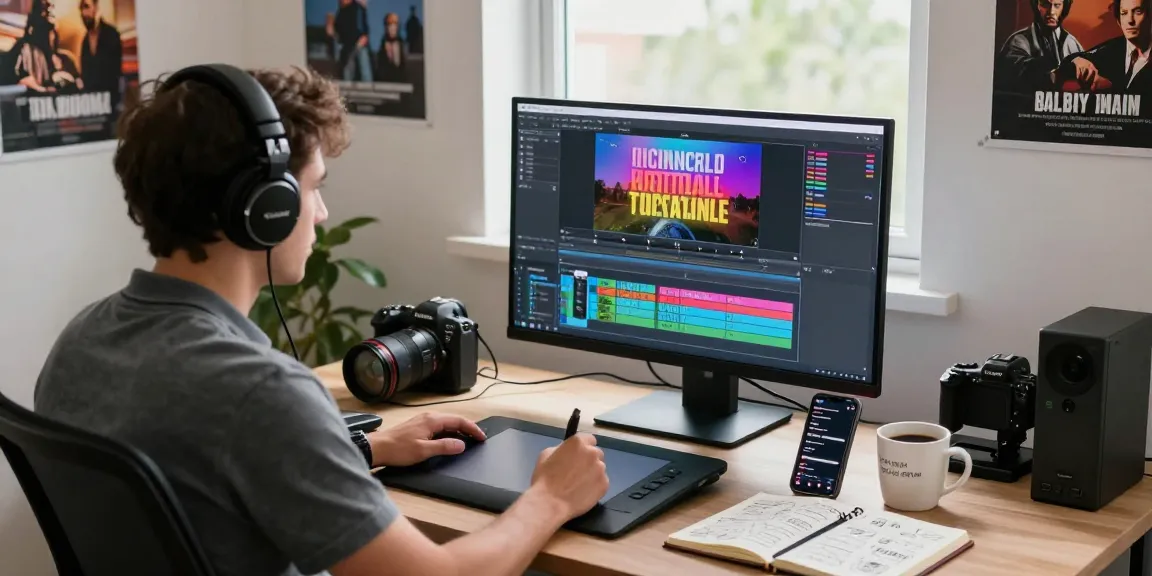
Understanding Text Overlays in Video Editing
In the contemporary landscape of video content creation, the need for engaging visuals has never been more critical. One effective technique to enhance viewer engagement is through the use of text overlays. Text overlays allow creators to convey important information, emphasize key points, and improve overall communication in their videos. By integrating well-crafted text onto videos, you can significantly boost audience retention and interaction. For those looking to explore innovative ways to write text on video, it’s essential to understand both the art and the science behind this practice.
What is Writing Text on Video?
Writing text on video involves placing textual elements, such as titles, captions, or subtitles, directly onto video footage. This technique serves various purposes, from providing context to dialogues and narrations to ensuring that essential information is accessible even when audio is muted. Text overlays can make videos more inclusive, catering to diverse audiences, including those with hearing impairments or those watching in sound-sensitive environments.
The Importance of Text Overlays for Engagement
Text overlays can dramatically enhance viewer engagement. They serve as visual cues, guiding the audience’s attention and emphasizing key messages. Statistics show that videos with text overlays have a higher engagement rate compared to those without, especially on social media platforms where many users watch videos without sound. By leveraging text overlays, creators not only improve accessibility but also convey their messages more effectively.
Common Misconceptions about Text on Video
Despite the benefits, there are several misconceptions regarding the use of text on videos. One common myth is that text overlays can clutter a video, detracting from the visual elements. However, when done right—strategically placed, correctly timed, and stylistically cohesive—text can complement the visuals rather than overwhelm them. Another misconception is that adding text is a complicated process reserved for advanced editors. Modern tools, such as SubtitleBee, have simplified this process, allowing anyone to create visually appealing text overlays quickly.
Quick Steps to Write Text on Video
Adding text to your video can be accomplished in just a few straightforward steps. Following a systematic approach will help ensure that your overlays are not only visually appealing but also serve their intended purpose. Here’s how to get started:
Step-by-Step Guide to Uploading Your Video
To begin, first access a reliable video editing tool. Upload your video file in a supported format, such as MP4, AVI, or MOV. Most online editors, including SubtitleBee, allow for easy uploads directly from your computer or from video platforms like YouTube and Vimeo. Once uploaded, you’re ready to start customizing your text overlays.
Creating and Customizing Your Text Overlays
Next, create a supertitle or text overlay within the editing interface. Choose from a range of customization options—select fonts, colors, sizes, and positions that best fit the tone and style of your video. You can also add backgrounds or outlines to ensure your text stands out against the video backdrop.
Previewing and Editing Your Video Text
After adding your desired text overlays, it’s crucial to preview your video. This allows you to see how the text interacts with the visuals and ensures that the timing is perfect. Make adjustments as necessary, using drag-and-drop sliders to synchronize text appearance with relevant scenes. This real-time feedback is vital for achieving a polished final product.
Advanced Techniques for Effective Text Integration
To elevate your text overlay game, consider these advanced techniques that enhance both aesthetics and functionality:
Utilizing Fonts and Colors to Enhance Your Message
The choice of font and color can dramatically affect readability and emotional impact. Select fonts that align with your brand identity and ensure that colors contrast well with the video background. Consider using bolder fonts for critical messages and softer colors for supplementary information.
Timing and Placement: Ensuring Perfect Synchronization
Perfect timing and placement are essential for ensuring your text overlays complement rather than distract from your video’s message. Use tools that allow you to set precise timings for text appearance and disappearance. Experiment with placement to find the most effective spots—e.g., the bottom or top of the screen, or even to highlight specific actions within the video.
Incorporating Branding Elements into Text Overlays
To reinforce brand identity, incorporate branding elements such as logos or specific brand colors into your text overlays. This consistent branding helps in establishing recognition and recall with your audience. Ensure that your overlays are not only functional but also visually aligned with your overall brand strategy.
Tools and Platforms for Adding Text to Video
With a plethora of tools available, choosing the right platform for adding text to your videos can be daunting. Here, we review some of the most popular editing software and online tools:
Comparative Review of Popular Editing Software
Tools like Adobe Premiere Pro, Final Cut Pro, and DaVinci Resolve are excellent for advanced users seeking comprehensive editing capabilities, including text overlays. However, for those who prefer simplicity and accessibility, platforms like SubtitleBee, Canva, and Kapwing offer user-friendly interfaces with powerful text editing features.
Free vs. Paid Options: What You Need to Know
Many video editing tools offer free versions with limited features, while others provide more robust options in paid plans. Evaluate what you need for your projects—if you’re a casual user, a free version may suffice, but for professional purposes, investing in a paid option might yield better results.
Future Trends in Video Text Editing Tools (2026)
The future of video text editing is promising, with AI-driven tools expected to take center stage. These tools will likely offer automated text generation capabilities and enhanced customization features, making the process of writing text on video even more intuitive and efficient. As technology evolves, staying updated with trends will be crucial for video creators aiming to engage audiences effectively.
FAQs about Writing Text on Video
As video content continues to grow in popularity, many creators have questions about adding text overlays. Here are some frequently asked questions:
Is it possible to write text on video for free?
Yes, various online platforms offer free tools for adding text to videos. While these may have limitations, they provide a great starting point for new creators.
What file formats are supported for text overlay?
Most video editors support common formats like MP4, AVI, MOV, WMV, and WebM, allowing for flexibility in editing.
Can I customize text for different video platforms?
Absolutely! Many editing tools allow you to customize the size, font, and placement of text based on platform-specific requirements, ensuring your videos look great everywhere they are shared.
How do I ensure my text is readable across all devices?
To ensure readability, choose high-contrast colors and avoid overly complex fonts. Test your video on various devices to confirm that text appears clearly on each screen size.
What common mistakes should I avoid when adding text to videos?
Avoid cluttering your video with too much text, using hard-to-read fonts, or placing text over busy backgrounds. Less is often more when it comes to text overlays.




More Stories
Why Most People Get Telegram Download Wrong (And How to Fix It)
How Safe Is Download WPS Office? A Security Deep Dive for 2026
Telegram Download: Real Talk About What Works and What Doesn’t for 2026